
Download Upscales – AI Image Upscaler for Windows, Mac, Android & iOS
Upscales is a powerful, web-based AI image upscaler that transforms low-resolution images into stunning high-definition visuals—up to 8x their original size. Leveraging cutting-edge artificial intelligence, this tool intelligently enhances image details, sharpens edges, and preserves original colors while focusing on the main subject. Whether you're a photographer, designer, or casual user, Upscales delivers professional-grade results without the steep learning curve or high cost of traditional editing software.
Designed for accessibility, it works seamlessly across all devices—Windows, Mac, Android, and iOS—via a browser or mobile app. With intuitive controls, automatic retouching, and real-time preview, Upscales makes image enhancement effortless. While it operates on a subscription model, the platform is committed to being free for users, promoting creative freedom.
Despite minor limitations like restricted file types and no offline mode, Upscales stands out as a secure, fast, and innovative solution for anyone looking to elevate their visuals.
Advanced AI-Powered Image Enhancement for Professional Results
At the heart of Upscales lies its revolutionary AI engine, which analyzes and reconstructs images with astonishing precision. Unlike traditional upscaling methods that often blur or distort details, Upscales uses deep learning algorithms trained on millions of high-resolution images to predict and restore missing textures, fine lines, and color gradients. This means that when you upload a low-quality photo—whether it's a blurry portrait, a pixelated screenshot, or a compressed social media image—the AI intelligently fills in gaps, enhances facial features, and sharpens backgrounds without over-processing.
One of the most impressive aspects of Upscales is its focus on the main subject. The AI detects the central object or person in the image and prioritizes its clarity and detail during upscaling. For example, a portrait with a soft background will have the face dramatically sharpened, while the background is enhanced in a natural way that maintains depth and realism. This feature is particularly useful for content creators, marketers, and e-commerce professionals who need high-quality visuals for product listings or promotional materials.
The tool also includes built-in retouching capabilities, such as noise reduction and color correction, which further improve the final output. These features work automatically, requiring minimal user input, making it ideal for beginners. However, advanced users can tweak settings like sharpening intensity and texture strength for more control. All processing happens securely on the cloud, ensuring your images remain private and protected from unauthorized access.
Seamless Cross-Platform Access & Easy Usage
One of the standout benefits of Upscales is its universal accessibility. As a web-based application, it runs directly in your browser—no installation required. Whether you're using a Windows PC, Mac, Android tablet, or iOS device, you can access Upscales from any modern browser with an internet connection. This flexibility makes it perfect for users who switch between devices throughout the day or work remotely.
For those who prefer a dedicated experience, Upscales offers a mobile app available for download directly from its official website. While it’s not on the Google Play Store or Apple App Store, the direct download ensures you get the latest version without delays or third-party restrictions. The mobile interface is clean and responsive, with touch-friendly controls that make it easy to upload images, adjust settings, and view results on the go.
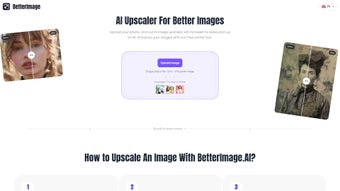
Using Upscales is incredibly simple. Just visit the website, click “Upload,” select your image, and let the AI do the rest. Within seconds, you’ll see a high-resolution version previewed alongside the original.
You can then download the enhanced image in your preferred format—JPEG, PNG, or WebP. The entire process takes less than a minute, even for large files. There’s no need to learn complex software or spend hours mastering tools.
This ease of use makes Upscales a top choice for non-designers who still want pro-level results.
Pros and Cons: What You Need to Know Before Downloading
- Pros:
- Upscales images up to 8x resolution with minimal quality loss
- AI intelligently focuses on the main subject for natural-looking results
- Free access for users with no hidden costs (subscription model intended to be free)
- Secure cloud processing with no data retention policy
- Works on Windows, Mac, Android, and iOS via browser or mobile app
- Automatic retouching and sharpening for enhanced visuals
- Fast processing time—results in under 30 seconds
- Cons:
- Supports only JPEG, PNG, and WebP file formats (no RAW or TIFF)
- No offline mode—requires constant internet connection
- Mobile app not available on Google Play or Apple App Store
- Subscription model may change in the future (currently free)
- Advanced users may desire more manual control over AI parameters
Frequently Asked Questions (FAQ)
Is Upscales completely free to use?
Yes, Upscales is currently offered completely free of charge. The platform operates on a subscription-based model, but it is designed to remain free for all users to encourage creativity and accessibility. There are no paywalls, hidden fees, or trial periods.
Can I use Upscales on my mobile device?
Absolutely. Upscales is fully compatible with Android and iOS devices. You can access it via your mobile browser or download the dedicated app directly from the official website. No need to go through app stores—just visit the site and start enhancing your images on the go.
What file types does Upscales support?
Upscales currently supports JPEG, PNG, and WebP formats. While it doesn’t support RAW or TIFF files at this time, these are the most common formats used in web and social media content. For users working with professional camera files, a conversion step may be needed before uploading.
Does Upscales store my images after processing?
No, Upscales does not store your images after processing. All uploads are processed securely in real-time on the cloud and then automatically deleted from the server. Your privacy is protected, and your images never leave your control.
Can I upscale images without an internet connection?
Unfortunately, no. Since Upscales relies on cloud-based AI processing, an active internet connection is required. There is no offline version available at this time. However, the fast processing speed ensures minimal wait time even on slower connections.
Final Verdict: A Must-Try AI Image Tool for Everyone
Upscales delivers a powerful, user-friendly solution for anyone needing to enhance low-resolution images quickly and effectively. Its AI-driven upscaling technology produces remarkably sharp, natural-looking results—especially for portraits and product photos—while preserving the original essence of the image. The ability to use it across all major platforms, from desktop to mobile, makes it one of the most accessible tools in its category.
While there are some limitations—such as file format restrictions and the lack of offline functionality—the benefits far outweigh the drawbacks. The fact that it’s completely free, secure, and easy to use makes it an ideal choice for students, freelancers, small businesses, and casual users alike. Whether you're preparing a presentation, updating your portfolio, or improving social media content, Upscales helps you achieve professional results in seconds.
For those seeking a reliable, fast, and free AI image upscaler that works across Windows, Mac, Android, and iOS, Upscales is a top contender. Download it today and experience the future of image enhancement—without the complexity or cost.



.png)



